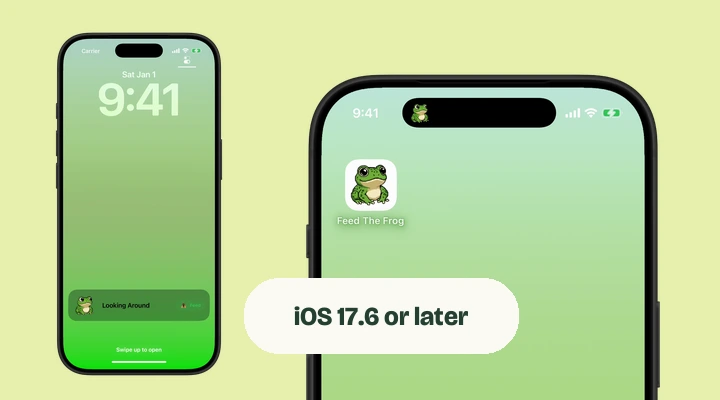
Two requirements, two different questions
The iOS requirement decides whether you can install and run the app. Dynamic Island hardware decides whether your frog can appear in that part of the screen. Meeting the first requirement does not mean your phone has the second.
The quickest installation check is the App Store listing on your own iPhone. It can tell you whether the app is compatible with that device and software version. To check the version yourself, go to Settings, General, and About.
What each kind of iPhone can do
| Your iPhone | In-app frog | Lock Screen activity | Dynamic Island pet |
|---|---|---|---|
| iPhone Duo | Yes | Yes | Yes, vertical Island |
| Other Dynamic Island iPhones + iOS 17.6 or later | Yes | Yes | Yes |
| No Dynamic Island + iOS 17.6 or later | Yes | Yes | No |
| Cannot run iOS 17.6 | Not supported | Not supported | Not supported |
Live Activities must also be allowed in Settings. If your device meets the requirements but the activity is missing, check that permission and the switch inside Feed The Frog.
How to recognize the Dynamic Island
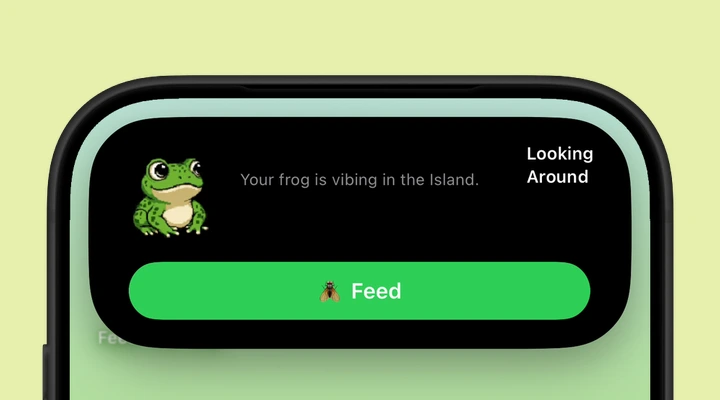
The Dynamic Island is the interactive area around the camera cutout that can expand to display an activity. It is different from the notch that connects to the top edge of some iPhone screens. The iPhone 14 Pro and 14 Pro Max introduced the Island; the regular iPhone 14 and 14 Plus do not have it.
The position also varies by model. On iPhone Duo, the Dynamic Island runs vertically along the side of the display. If you are unsure which screen your phone has, check the model name in Settings, General, and About.
Does Feed The Frog work on iPhone Duo?
Yes. Feed The Frog supports iPhone Duo, including its Dynamic Island and Lock Screen Live Activities. Duo places the Island vertically along the side of both the outer and inner displays. Look at the edge of the screen rather than the top-mounted pill shown on a standard iPhone.
Open Feed The Frog, turn on the Dynamic Island switch, and choose an available animation. You can use the same frog collection with the phone open or closed. Our iPhone Duo guide covers setup, feeding, and the different Island layout.
Other platforms and display features
Feed The Frog is available for iPhone, including iPhone Duo. There is currently no Android version. You can try the frog on this website before downloading the iPhone app.
Always-On Display is a separate feature again. You do not need it to use the app. On a phone that has it, the frog can be still while the display is dimmed. Read the display guide for that behavior, or follow the Lock Screen setup to begin.
More about iPhone features
Say hello to your frog.
Try the preview, then bring a little company to your iPhone.
Download on theApp Store